

Is your Black and Decker toaster oven not baking like it used to? You rely on it for quick, delicious meals, and when it stops working, it can throw off your entire routine.
Don’t worry—you’re not alone, and the fix might be simpler than you think. You’ll discover easy steps to get your toaster oven baking perfectly again. Keep reading, because the solution to your kitchen frustration is just ahead.
Common Reasons For Bake Function Failure
The bake function in a Black and Decker toaster oven may stop working for several reasons. Understanding these common causes helps in fixing the problem faster. This section covers the main issues that affect the bake feature.
Heating Element Issues
The heating element is vital for baking. If it burns out or breaks, the oven won’t heat properly. Sometimes, the element may look fine but still fail to get hot. Dirt or food debris can also block heat from spreading evenly.
Thermostat Malfunction
The thermostat controls the oven temperature. A faulty thermostat gives wrong temperature readings. This causes the oven to underheat or overheat. The bake function may stop working if the thermostat fails completely.
Power Supply Problems
The toaster oven needs steady power to bake. Loose or damaged power cords can interrupt electricity flow. A blown fuse or tripped circuit breaker may also cut power. Check the outlet and power source before troubleshooting further.
Control Panel Errors
The control panel sends commands to the oven. If buttons or touchpads are stuck, the bake mode won’t start. Electrical faults inside the panel can cause errors. Resetting or replacing the control board may fix the issue.
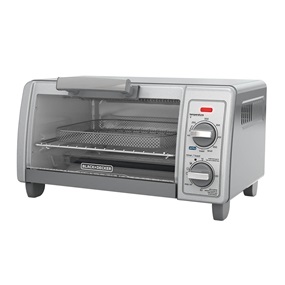
Credit: www.vicentetorns.com
Quick Troubleshooting Steps
Facing issues with your Black and Decker toaster oven not baking? Quick troubleshooting helps find simple fixes fast. Follow easy steps to check the common problems. This saves time and avoids unnecessary repairs.
Try these quick checks before calling for service. Most problems come from small issues you can fix yourself.
Checking The Power Source
Make sure the toaster oven is plugged in properly. Check the outlet by plugging in another device. Look for any damage on the power cord. A loose or broken connection stops the oven from working. Confirm the power switch is turned on.
Inspecting The Heating Elements
Open the toaster oven and look at the heating elements. They should glow red when baking. If they stay dark, they might be broken. Dust or food bits can block heat. Clean gently with a soft brush or cloth.
Resetting The Toaster Oven
Unplug the toaster oven for about 5 minutes. This resets the internal controls. Plug it back in and try baking again. Sometimes, the oven needs a simple restart to work properly.
Testing The Bake Function
Set the oven to bake at a low temperature. Wait a few minutes and check if it heats up. If not, try another setting to see if other functions work. This helps identify if the bake feature is faulty or the whole oven.
Simple Fixes You Can Try
When your Black and Decker toaster oven stops baking properly, it can be frustrating. Many problems have simple fixes. You can try some basic steps before calling for help. These easy repairs often save time and money. Follow these tips to get your oven working again quickly.
Cleaning The Oven Interior
Dirt and crumbs can block heat inside your toaster oven. Remove all racks and trays. Use a soft cloth and mild soap to clean the inside walls. Avoid harsh chemicals that can damage the surface. Make sure to clean the heating elements carefully but gently. Let everything dry fully before using the oven again.
Replacing The Heating Element
If your oven does not heat up at all, the heating element may be broken. First, unplug the oven and let it cool down. Find the heating element inside the oven. Check for visible damage like breaks or burns. Order a replacement part from Black and Decker or an authorized seller. Follow the manual to install the new element safely.
Adjusting The Thermostat
The thermostat controls the oven temperature. Sometimes it loses accuracy over time. Use an oven thermometer to check the actual temperature. If it is too low or too high, adjust the thermostat dial. Turn it slowly and test with the thermometer again. Small changes can fix uneven baking problems.
Calibrating The Control Panel
The control panel may not send the right signals to the oven. Reset the oven by unplugging it for 10 minutes. Plug it back in and check if the buttons respond properly. If needed, consult your manual for calibration steps. Recalibrating can fix issues with baking settings and timers.
:max_bytes(150000):strip_icc()/BlackDecker-Crisp-N_-Bake-Air-Fry-4-Slice-Toaster-03-c1d98370ba28494983e9e1aae8324121-f2bec58d7b66414ab75ffb368a7b70a2.jpeg)
Credit: www.vicentetorns.com
When To Contact A Professional
Knowing when to contact a professional is important for your Black And Decker toaster oven bake issues. Some problems need expert care to avoid risks and save time. This section helps you decide the right moment to seek professional help.
Signs Of Electrical Faults
Unusual sparks or burning smells are clear warning signs. Flickering lights or the oven not powering on also indicate electrical faults. These issues can be dangerous and need quick expert attention. Avoid using the oven if you notice any of these signs.
Parts Replacement Guidelines
Not all parts can be safely replaced at home. Heating elements and thermostats often require professional tools and skills. Incorrect replacement can cause further damage. A technician knows the correct parts and how to install them safely.
Warranty And Service Options
Check your toaster oven’s warranty before attempting repairs. Many repairs are covered, which can save money. Contact Black And Decker service centers for authorized repairs. Using authorized service keeps your warranty valid and ensures quality work.
Preventive Maintenance Tips
Preventive maintenance helps keep your Black And Decker toaster oven working well. Small habits can stop big problems. Regular care saves time and money. It also extends the life of your appliance.
Regular Cleaning Routine
Clean the toaster oven after each use. Remove crumbs and food bits from inside. Use a soft cloth and mild soap. Avoid harsh chemicals that may damage parts. Clean the crumb tray regularly to prevent buildup. A clean oven heats evenly and works better.
Proper Usage Practices
Follow the instructions in the user manual. Do not overload the toaster oven with food. Use the right temperature for different foods. Avoid using metal containers that can cause sparks. Always place the oven on a flat, stable surface. Proper use prevents damage and keeps it safe.
Periodic Function Testing
Test the toaster oven functions every few weeks. Check if the bake setting heats properly. Listen for unusual sounds during operation. Make sure the timer and controls work well. Early detection of issues helps fix problems fast. Routine tests keep your oven reliable.

Credit: www.vicentetorns.com
Frequently Asked Questions
Why Is My Black And Decker Toaster Oven Bake Not Working?
The bake function may fail due to a faulty heating element or thermostat. Check if the element glows when baking. Also, ensure the oven is properly plugged in and the timer is set correctly.
How Do I Fix The Bake Function In A Black And Decker Toaster Oven?
Start by unplugging the oven and inspecting the heating element for damage. Clean any debris inside. If the element is broken, replace it. Also, test the thermostat and replace it if faulty.
Can A Blown Fuse Cause Black And Decker Toaster Oven Baking Issues?
Yes, a blown internal fuse can stop the bake function. Check the fuse and replace it if needed. Always unplug the oven before inspecting electrical components to ensure safety.
How Often Should I Clean My Black And Decker Toaster Oven?
Clean your toaster oven after every use to prevent buildup. Regular cleaning ensures optimal heating performance and extends the appliance’s life. Use a damp cloth and mild detergent for best results.
Conclusion
A Black and Decker toaster oven that won’t bake can be frustrating. Check the power source and settings first. Clean the oven thoroughly to avoid blockages. Test the heating elements to find faults. Small fixes often solve common problems quickly.
If issues continue, contacting customer support helps. Taking care of your toaster oven extends its life. Simple steps keep your appliance working well. Keep these tips in mind for future use. Baking should be easy and stress-free again.