
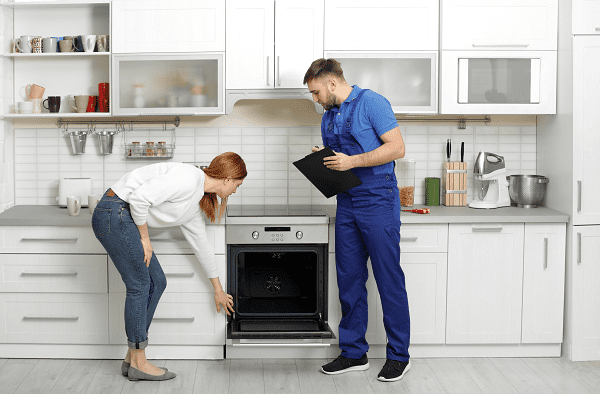
Is your LG oven playing tricks on you? You set the temperature, but your cookies come out charred or your roast is barely cooked.
Frustrating, right? If your LG oven isn’t holding temperature, you’re not alone. Many face this common yet puzzling issue. Before you consider replacing your oven, there are simple troubleshooting steps you can take. We’ll explore why your oven might be acting up and how you can fix it, saving you time, money, and the hassle of cold dinners.
Stay with us to discover practical solutions that can bring your oven back to its perfect performance.
Common Causes Of Temperature Fluctuations
Temperature fluctuations in LG ovens often stem from faulty heating elements or inaccurate thermostats. Regular maintenance checks can help identify these issues early. Ensuring consistent power supply also plays a crucial role in maintaining stable oven temperature.
If you’ve ever tried baking a cake or roasting a chicken only to find that your LG oven isn’t holding the right temperature, you’re not alone. This frustrating issue can lead to undercooked or overcooked meals, wasting both time and ingredients. Understanding the common causes of temperature fluctuations can save you from culinary disappointments and help you get the most out of your oven.Faulty Thermostat
A malfunctioning thermostat is a frequent culprit. It’s like trying to drive with a broken speedometer—you just can’t trust the readings. If your thermostat is off, your oven might think it’s at the right temperature when it’s not. You can test this by using an oven thermometer to see if the temperature matches what you set.Defective Heating Elements
Heating elements are essential for maintaining consistent heat levels. If one is damaged, your oven might struggle to reach or hold the desired temperature. Imagine trying to heat a room with a broken radiator—it just won’t work efficiently. Check if your heating elements are glowing evenly. If not, replacement might be necessary.Door Seal Damage
A compromised door seal can let precious heat escape, much like trying to keep a house warm with an open window. Inspect the seal around your oven door for any cracks or tears. Even a small gap can lead to significant heat loss, affecting your cooking results.Temperature Sensor Issues
The temperature sensor acts as the oven’s internal thermometer. If it’s not working correctly, your oven may have trouble regulating heat. This is similar to trying to fill a cup with a broken measuring spoon—you won’t get the amount you expect. Testing the sensor with a multimeter can help determine if it needs replacement.Control Board Problems
The control board is like the brain of your oven. If it’s faulty, it might not send the right signals to the heating elements. This can lead to erratic temperature changes. A professional can diagnose if the control board is the problem, saving you from guessing games.Improper Oven Calibration
Sometimes, your oven just needs a little recalibration. Over time, settings can drift, much like a clock losing time. Check your user manual for instructions on how to recalibrate the temperature settings. This simple step might solve your problem without the need for repairs. When was the last time you checked these components in your oven? Regular maintenance and checks can prevent many of these issues. Don’t let an unreliable oven spoil your next dinner. Take action, and enjoy consistent cooking results every time.
Credit: www.youtube.com
Checking Thermostat Functionality
Experiencing issues with your LG oven not holding temperature? Checking the thermostat functionality can help identify the problem. Ensure accurate temperature readings to maintain consistent cooking results.
Ensuring your LG oven maintains the right temperature is crucial for delicious meals and efficient cooking. One common culprit when your oven isn’t holding temperature is a faulty thermostat. It’s a problem that can throw off your entire cooking schedule and lead to unevenly cooked dishes. Let’s dive into how you can check the thermostat functionality and potentially save yourself a costly repair.How To Test Your Oven Thermostat
Start by preheating your oven to a set temperature. Use an oven thermometer placed inside to verify the internal temperature. If the reading is consistently off, your thermostat might be to blame. Keep a log of your findings. Document the set temperature versus the actual temperature over several tests. This data will help you determine if there’s a consistent discrepancy.Signs Of A Faulty Thermostat
Do your dishes take longer to cook than expected? Or perhaps they’re overdone on the outside and raw inside? These are signs that your thermostat may not be working correctly. A malfunctioning thermostat can lead to temperature fluctuations. This inconsistency can result in unpredictable cooking times and poor food quality.Diy Fixes You Can Try
Before calling a professional, try recalibrating the thermostat. Many LG ovens have a calibration feature accessible through the control panel. Check your user manual for specific instructions. If recalibration doesn’t help, inspect the thermostat sensor. Ensure it’s not touching the oven walls, which can cause inaccurate readings. Gently adjust its position if needed.When To Seek Professional Help
If DIY methods don’t resolve the issue, it might be time to call a technician. Internal wiring problems or a broken thermostat component may require professional repair. Consider the age of your oven. If it’s older, replacing the thermostat might be more cost-effective than frequent repairs.Maintaining Your Oven’s Performance
Regular maintenance can prevent thermostat issues. Clean your oven regularly to avoid grease build-up, which can affect temperature accuracy. Check the gasket for wear and tear. A damaged gasket can lead to heat loss, impacting your oven’s ability to maintain a stable temperature. Is your oven holding its temperature? If not, taking action now can save you time, money, and frustration in the kitchen. By understanding and addressing thermostat functionality, you can ensure your meals are cooked to perfection every time.Inspecting The Heating Element
Your LG oven is a trusty kitchen companion, but what happens when it doesn’t hold temperature as it should? One key area to inspect is the heating element. This component is crucial for achieving consistent cooking results. If your oven’s temperature is fluctuating or not reaching the desired level, the heating element might be the culprit. Let’s dive into how you can inspect this vital part and ensure your oven performs at its best.
Understanding The Heating Element
The heating element is essentially the heart of your oven, responsible for generating heat. It’s a metal coil located inside the oven, either at the top, bottom, or both. If it’s damaged or not functioning properly, your oven won’t be able to maintain the set temperature.
Signs Of A Faulty Heating Element
Does your food come out undercooked or overcooked? Is there uneven browning? These could be signs that the heating element isn’t working correctly. Additionally, if you notice visible damage, such as breaks or burns on the element, it’s time to take action.
How To Inspect The Heating Element
To inspect the heating element, first ensure the oven is unplugged for safety. Look for visible signs of damage like cracks or corrosion. If everything looks intact, test the element with a multimeter to check for continuity. This will tell you if the element is functional or needs replacing.
What To Do If The Heating Element Is Faulty
If your inspection reveals the element is faulty, you’ll need to replace it. You can purchase a replacement part specific to your oven model. Consider whether you’d prefer to call a professional or tackle the replacement yourself. Either way, ensuring a functional heating element is crucial for consistent cooking results.
Have you ever faced a similar issue with your oven? What steps did you take to resolve it? Share your insights and tips in the comments. Your experience could be valuable to fellow readers facing the same challenge.
Calibrating The Oven
Calibrating your LG oven can solve temperature issues. If your oven isn’t holding the right temperature, calibration might help. This process ensures your oven accurately measures heat levels. Regular calibration can enhance cooking performance and results.
Understanding Oven Calibration
Oven calibration adjusts the internal thermostat. It helps the oven reach the desired temperature. This step is crucial for consistent cooking outcomes.
Signs Your Oven Needs Calibration
Unevenly cooked food indicates calibration issues. If baking times vary, check the oven’s temperature. A fluctuating temperature means the oven needs adjustment.
Steps For Calibrating Your Lg Oven
Start by reading the manual. Follow the instructions for calibration. Use an oven thermometer for accurate results.
Using An Oven Thermometer
Place the thermometer inside the oven. Preheat the oven and note the temperature. Compare it with the thermostat setting. Adjust if there is a discrepancy.
Adjusting The Thermostat
Find the thermostat adjustment feature. Increase or decrease the temperature setting. Test again with the thermometer for accuracy.
Ensuring Proper Calibration
Repeat the test several times. Ensure the oven consistently holds the temperature. Regular checks help maintain efficiency.
Benefits Of Regular Calibration
Calibration leads to better cooking results. It prevents uneven baking and roasting. Accurate temperatures ensure delicious meals every time.
Cleaning The Oven For Better Performance
Cleaning your LG oven can improve its performance if it’s not holding temperature. Grease and food particles may block sensors, leading to temperature fluctuations. Regular cleaning helps maintain consistent heating and ensures better cooking results.
Cleaning your oven can be a game-changer in ensuring it holds temperature accurately. Many people overlook the importance of a clean oven, but grease and food particles can affect your oven’s performance. Regular cleaning not only helps maintain the temperature but also extends the life of your appliance. Let’s dive into some practical tips on how to clean your oven for better performance.Remove Debris And Spills
Start by removing any loose debris and spills from inside the oven. These can interfere with the oven’s heating elements. Use a damp cloth to wipe away crumbs and residue. If you’ve ever had a cake overflow or a lasagna bubble over, you know how messy things can get. Leftover food particles can burn and affect temperature regulation.Clean The Racks
Take out the oven racks and give them a good scrub. You can soak them in a mixture of hot water and dish soap for an hour. This helps remove baked-on grime easily. Clean racks allow heat to circulate properly, ensuring even cooking. You might be surprised at how much difference clean racks make in your cooking results.Address Grease Build-up
Grease build-up is a common issue that can affect your oven’s performance. Use a non-abrasive cleaner to tackle greasy spots. Spray the cleaner on the affected areas and let it sit for a few minutes before wiping it off. A clean surface ensures that heat is evenly distributed, maintaining the right temperature.Check The Door Seal
A damaged or dirty door seal can cause heat to escape, leading to temperature fluctuations. Inspect the seal for any tears or accumulated dirt. Clean it gently with a mild detergent and water. A good seal ensures that your oven retains heat efficiently, keeping your dishes cooked to perfection.Clean The Ventilation System
Don’t forget the ventilation system. A blocked vent can lead to overheating and uneven cooking. Use a vacuum or a brush to clear out any dust or debris from the vents. This allows the oven to breathe properly, maintaining a stable temperature. Regular cleaning can make your cooking experience more enjoyable and successful. Have you ever noticed how much better your oven performs after a thorough cleaning? These simple steps can help you avoid the frustration of an oven not holding its temperature. Why not give your oven a fresh start and see the difference for yourself?Evaluating Electrical Connections
Checking electrical connections is crucial for an LG oven that isn’t holding temperature. Loose or faulty connections can disrupt power flow, affecting performance. Regular inspection ensures consistent heat distribution and optimal cooking results.
Evaluating electrical connections is a crucial step when your LG oven isn’t holding temperature. Faulty connections can disrupt the oven’s ability to maintain a stable temperature, leading to uneven cooking and frustration. By assessing these connections, you can diagnose and potentially solve the problem yourself, saving time and money.Understanding The Importance Of Electrical Connections
The electrical connections in your oven are like the veins in your body. They carry essential power to the different components, ensuring everything functions smoothly. When these connections become loose or corroded, they can cause a breakdown in communication between the oven’s control board and the heating elements.Identifying Loose Or Damaged Wires
Start by turning off the power to your oven for safety. Carefully remove the back panel to access the wires. Look for any loose or damaged wires that might be causing the issue. A loose wire might just need to be tightened. If you find a damaged wire, it may need to be replaced.Checking The Terminal Block
The terminal block is where the main power supply connects to your oven. Inspect it closely. If you notice any signs of burning or melting, it might be a clue that your oven isn’t receiving consistent power. Replace the terminal block if necessary to ensure a stable connection.Testing The Heating Elements
Once you have verified the connections, test the heating elements. Use a multimeter to check for continuity. A lack of continuity indicates a broken element, which can affect the oven’s ability to hold temperature. Replacing a faulty heating element can be a straightforward fix.Seeking Professional Help
If the problem persists despite your efforts, it might be time to call in a professional. Sometimes, the issue might be more complex than it seems. A certified technician can provide expert insight and repair your oven efficiently. Have you ever experienced an issue with your oven that you couldn’t solve on your own? How did you handle it? Share your stories and insights in the comments below. Taking the time to evaluate the electrical connections in your LG oven can be a game-changer. Not only can it solve immediate problems, but it also helps you understand your appliance better. Remember, knowledge is power, and it can save you from future headaches.Replacing Faulty Parts
When an LG oven doesn’t hold temperature, a faulty part might be the culprit. Replacing these parts can restore your oven’s performance. This guide will help identify and replace them effectively.
Replacing The Oven Temperature Sensor
The temperature sensor monitors heat inside the oven. A damaged sensor can cause incorrect temperature readings. To replace it, locate the sensor at the back of the oven. Disconnect it carefully and install a new one. Ensure it’s the correct part for your LG model. This can improve temperature accuracy significantly.
Fixing The Heating Element
The heating element is essential for maintaining heat. If it’s broken, the oven won’t heat evenly. To replace it, first disconnect the oven from power. Remove the screws holding the heating element. Detach the wires and replace it with a new element. Secure it with screws and reconnect the wires. Test the oven to ensure it’s working properly.
Replacing The Oven Control Board
The control board manages the oven’s functions. A faulty board can lead to inconsistent temperatures. To replace it, access the control panel by removing the cover. Disconnect the old control board and install a new one. Ensure all connections are secure. This can restore the oven’s performance and temperature control.
Checking The Door Seal
An oven door seal keeps heat inside. A worn seal allows heat to escape. Inspect the seal for any damage or wear. If needed, replace it to ensure a tight fit. A new seal can improve heat retention and cooking efficiency.
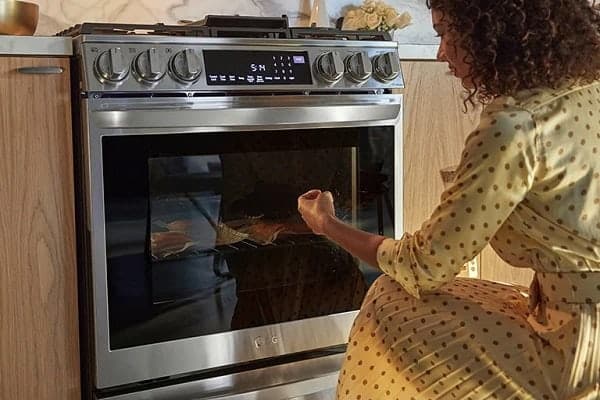
Credit: www.handlerappliance.com
Using A Temperature Gauge
Experiencing issues with your LG oven not holding temperature? Knowing how to accurately measure oven temperature is crucial. Using a temperature gauge can help identify problems and ensure your oven works efficiently.
Understanding The Importance Of A Temperature Gauge
A temperature gauge provides accurate readings of your oven’s heat levels. It helps ensure your cooking temperature aligns with the set temperature. This tool is essential for consistent cooking results.
How To Use A Temperature Gauge
Place the gauge inside the oven, ideally in the center. This position ensures accurate readings of the oven’s overall temperature. Follow the manufacturer’s instructions for best results.
Checking For Temperature Discrepancies
Compare the gauge reading with the oven’s display. If there’s a difference, your oven may need adjustment. Regular checks can help maintain consistent cooking temperatures.
Benefits Of Regular Temperature Checks
Regular checks help identify potential issues early. It ensures your oven cooks food evenly, enhancing meal quality. This practice can prolong the life of your appliance.
Consulting Professional Help
Experiencing issues with your LG oven not holding temperature can be frustrating. Consulting professional help ensures accurate diagnosis and effective solutions. Expert technicians can identify the root cause and restore your oven’s performance efficiently.
When your LG oven isn’t holding temperature, it can be frustrating and disruptive to your cooking plans. Sometimes, despite your best troubleshooting efforts, the problem persists. This is when consulting professional help becomes crucial. A qualified technician can diagnose the issue more accurately, ensuring your oven returns to peak performance.Understanding The Value Of Professional Expertise
Hiring a professional can save you from potential mistakes that may arise from DIY attempts. These experts have the tools and knowledge to identify and fix problems quickly. They can spot issues that might not be visible to an untrained eye, ensuring a thorough and effective solution.Choosing The Right Technician
Selecting the right professional is essential. Look for technicians with good reviews and recommendations. Check if they are certified to work on LG appliances. This can guarantee that your oven is in capable hands, providing peace of mind and a quicker resolution.What To Expect During The Service Call
When the technician arrives, they will likely start by asking about the symptoms you’ve noticed. They may perform a series of diagnostic tests to pinpoint the issue. Be prepared to provide any relevant information, such as the frequency of the problem or specific error codes, to assist their evaluation.Discussing Costs And Repairs
Before any repair work begins, ensure you discuss the costs involved. Ask for a detailed breakdown of parts and labor. This transparency helps you understand what you’re paying for and ensures there are no surprise charges later on.Ensuring Future Oven Reliability
After the repair, inquire about maintenance tips to prevent future issues. Professionals can offer valuable advice on cleaning routines and proper usage. Implementing these suggestions can prolong your oven’s lifespan and keep it functioning optimally. Reaching out to a professional not only resolves your immediate concerns but also provides a learning opportunity. You gain insights into your appliance’s workings and how to maintain it better. Have you ever considered how much time and stress a simple call to an expert could save you? Take that step when DIY solutions fall short, and ensure your kitchen stays the heart of your home.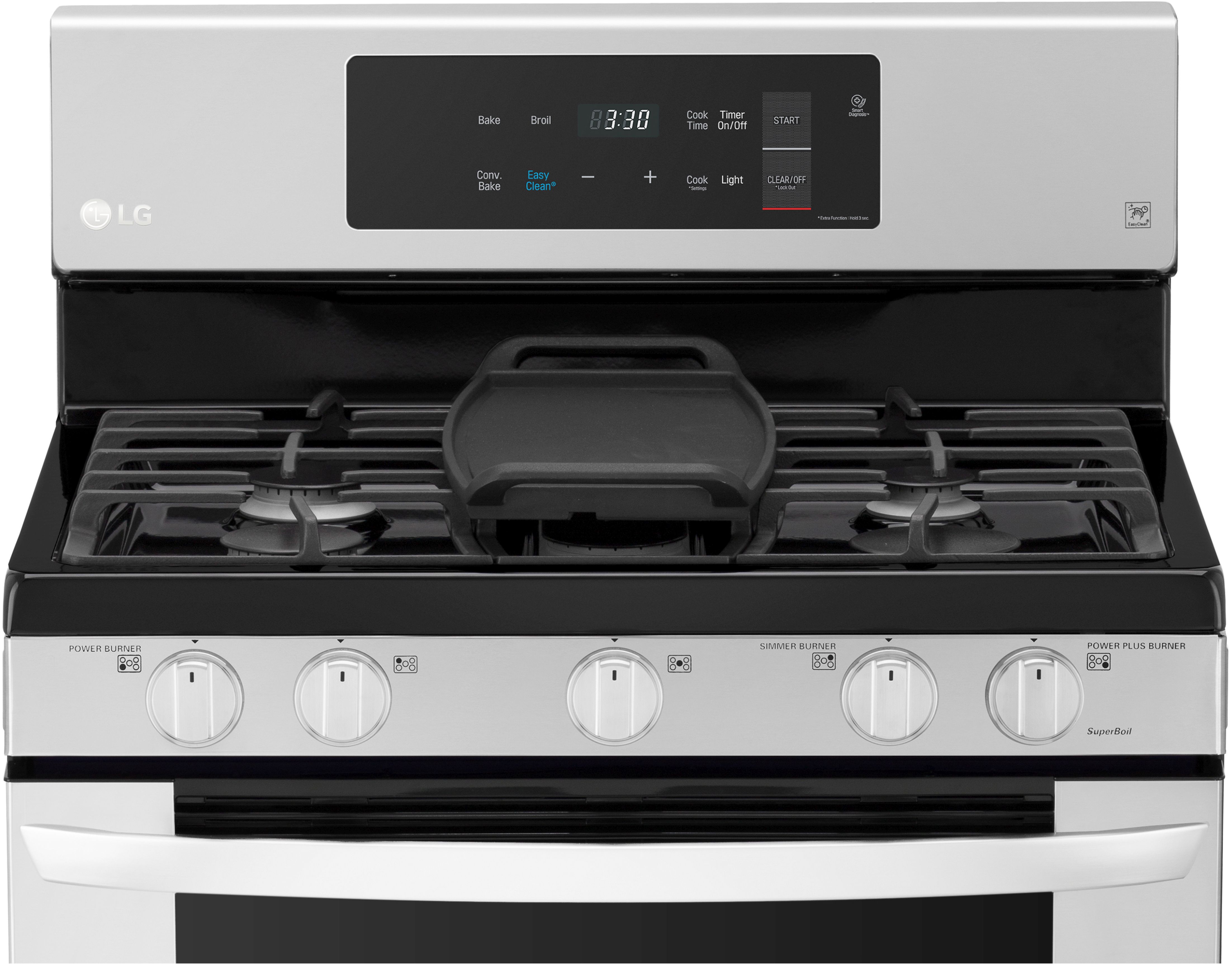
Credit: www.bargainsupplyappliance.com
Frequently Asked Questions
Why Is My Lg Oven Not Keeping Temperature?
Your LG oven may not keep temperature due to a faulty thermostat, heating element, or control board. Check for loose connections and inspect components. Regular maintenance helps prevent temperature inconsistencies. If issues persist, consider professional repair services to ensure optimal oven performance.
Why Does My Oven Temperature Keep Dropping?
Your oven temperature may drop due to faulty thermostats, broken heating elements, or inadequate door seals. Regular maintenance and prompt repairs ensure optimal performance.
Why Does My Lg Oven Heat Up Then Shut Off?
Your LG oven may shut off due to a faulty thermostat, overheating, or electrical issues. Check for error codes and consult the manual. Ensure proper ventilation and avoid blocking vents. Regular maintenance can prevent such problems. If issues persist, contact a professional technician for repair.
How Do I Test My Lg Oven Temperature Sensor?
To test your LG oven temperature sensor, remove it and measure resistance with a multimeter. It should read 1,080 ohms at 70°F. If readings are off, the sensor may need replacement. Ensure the oven is unplugged before testing for safety.
Conclusion
Fixing an LG oven that won’t hold temperature can be simple. First, check the temperature sensor. It might be faulty. A malfunctioning thermostat could also be the cause. Try recalibrating the oven. Follow the manual instructions carefully. Cleaning the oven interior can help too.
Grease and grime can affect performance. Regular maintenance prevents future issues. If problems persist, consult a professional technician. They can diagnose more complex faults. Keeping your oven in top shape ensures tasty meals. Always remember, a well-maintained oven is a kitchen’s best friend.
Happy cooking and baking with your LG oven!