

Is your 2001 Whirlpool oven touchpad not working and leaving you frustrated? You rely on your oven every day, and when the touchpad stops responding, it can throw off your entire cooking routine.
But don’t worry—you’re not alone, and there are simple ways to fix this common problem. You’ll discover easy steps to get your oven back in action quickly. Keep reading to find out how you can solve the issue without needing an expensive repair.
Common Causes Of Touchpad Failure
The touchpad on a 2001 Whirlpool oven can stop working for several reasons. Understanding these causes helps fix the problem faster.
Most touchpad failures happen because of simple wear or electrical problems. Dirt and moisture also cause issues.
Wear And Tear Over Time
Repeated use can wear out the touchpad buttons. The plastic or membrane may become less sensitive.
Older ovens often show signs of faded or stuck buttons. This reduces the touchpad’s response to your touch.
Electrical Issues
Loose or damaged wiring can stop the touchpad from working. Power surges can also harm electronic parts.
Faulty electrical connections may cause the touchpad to act erratically or not respond at all.
Moisture And Dirt
Moisture can get inside the touchpad and damage its circuits. Dirt and grease buildup block the touch sensors.
Cleaning the touchpad gently can sometimes restore its function if dirt or spills cause the problem.
- Wipe with a soft, dry cloth
- Avoid using too much water or cleaners
- Keep the oven area clean and dry
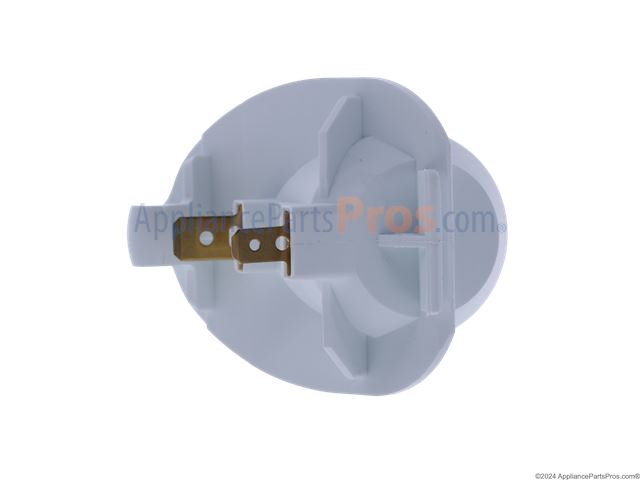
Faulty Control Board
The control board processes signals from the touchpad. If it fails, the touchpad will not work properly.
Control board failure can happen due to age, heat, or electrical problems. Replacing the board often fixes the issue.
Credit: www.appliancepartspros.com
Basic Troubleshooting Steps
If your 2001 Whirlpool oven touchpad is not working, try some simple fixes first. These steps help you find and fix small problems.
Follow each step carefully. This can save you time and money before calling a technician.
Power Cycle The Oven
Turn off the oven by unplugging it or switching off the circuit breaker. Wait for one minute before turning it back on.
This resets the oven’s control board and can fix touchpad problems caused by glitches.
- Unplug the oven or turn off the breaker
- Wait at least 60 seconds
- Plug it back in or turn the breaker on
- Test the touchpad again
Check For Lock Or Control Settings
The oven may have a control lock that stops the touchpad from working. Check if the lock is on.
Look for a lock or key symbol on the display. Press and hold the lock button for a few seconds to unlock it.
- Find the lock or control lock button
- Press and hold it for 3 to 5 seconds
- Watch for the lock icon to disappear
- Try using the touchpad again
Inspect The Touchpad For Damage
Look closely at the touchpad for cracks, dirt, or sticky spots. Damage or grime can stop it from working.
Clean the touchpad gently with a soft cloth and mild cleaner. Avoid harsh chemicals or too much water.
- Check for visible cracks or wear
- Clean the surface with a damp cloth
- Dry the touchpad before testing
- If damaged, consider replacing the touchpad
Cleaning The Touchpad
The touchpad on your 2001 Whirlpool oven can stop working if it gets dirty. Dust, grease, and grime block the sensors. Cleaning the touchpad can help it work again.
Use gentle cleaning methods. Avoid harsh chemicals or too much water. Careful cleaning keeps the touchpad safe and working well.
Safe Cleaning Materials
Choose soft and mild materials to clean the touchpad. Hard or rough materials can damage it. Avoid strong chemicals that can harm the surface.
- Microfiber cloths are soft and safe
- Mild dish soap mixed with water works well
- Isopropyl alcohol (70%) can remove grease
- Soft cotton swabs help reach small areas
- Distilled water prevents mineral spots
Step-by-step Cleaning Process
Turn off and unplug your oven before cleaning. This keeps you safe and protects the oven’s electronics. Follow these steps for a clean touchpad.
- Dampen a microfiber cloth with mild soap and water.
- Wring out excess liquid; the cloth should be just damp.
- Gently wipe the touchpad surface with the cloth.
- Use a cotton swab dipped in isopropyl alcohol to clean edges and buttons.
- Dry the touchpad with a clean, dry microfiber cloth.
- Plug in and test the touchpad for proper function.
Resetting The Oven Control
If your 2001 Whirlpool oven touchpad is not working, resetting the oven control can help. This process can clear minor errors and restore normal function.
Resetting the oven control is a simple way to fix touchpad issues without calling for repairs. It often solves unresponsive buttons and other control problems.
How To Perform A Reset
To reset the oven control, start by turning off the oven’s power. You can do this at the circuit breaker or unplug the oven if possible.
Wait for a full minute before turning the power back on. This pause allows the control board to fully reset.
- Turn off power at the breaker or unplug the oven.
- Wait for 60 seconds.
- Restore power to the oven.
- Check if the touchpad works normally.
When To Try A Reset
Try resetting the oven control when the touchpad stops responding or buttons do not register presses. It is a first step before calling for service.
If the oven shows error codes or the display is frozen, a reset may clear these issues. It can also help after a power surge or outage.
- Touchpad does not respond.
- Buttons seem stuck or do not work.
- Error codes appear on the display.
- Power outage or surge occurred.
Replacing The Touchpad
If your 2001 Whirlpool oven touchpad stops working, you may need to replace it. The touchpad controls the oven settings and functions.
Replacing the touchpad is a simple fix you can do yourself with the right parts and tools. This guide will help you through the process.
Finding The Right Replacement Part
Make sure to get the exact touchpad made for your 2001 Whirlpool oven model. Using the wrong part can cause problems.
Look for the model number on your oven. You can find it on the frame or inside the door. Use this number to find a matching touchpad.
- Check the oven’s model number
- Search for touchpads specific to that model
- Buy from trusted appliance parts sellers
Tools Needed For Replacement
You do not need many tools to replace the touchpad. Having the right tools will make the job easier and safer.
- Flathead screwdriver
- Phillips screwdriver
- Needle-nose pliers
- Multimeter (optional for testing)
- Work gloves (for safety)
Step-by-step Replacement Guide
Start by unplugging the oven. This stops any chance of electric shock during the repair.
Remove the screws holding the control panel in place. Keep the screws safe for reassembly.
- Unplug the oven to cut power
- Use screwdriver to remove control panel screws
- Gently pull the panel forward
- Disconnect the ribbon cable from the touchpad
- Remove the old touchpad from the panel
- Attach the new touchpad to the panel
- Reconnect the ribbon cable carefully
- Put the control panel back and screw it in
- Plug the oven back in and test the touchpad
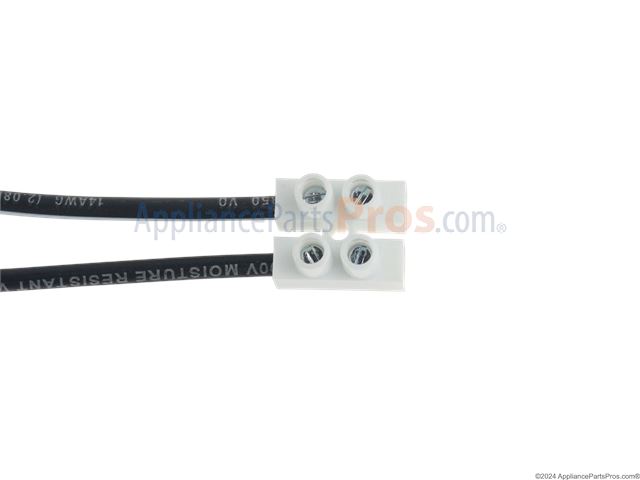
If the touchpad still does not work, check the ribbon cable connection. You may need to test the wiring with a multimeter.
When To Call A Professional
If your 2001 Whirlpool oven touchpad stops working, you may try basic fixes. Sometimes, the problem needs expert help. Knowing when to call a professional can save time and prevent damage.
Some issues are hard to fix without tools and training. A technician can find and fix hidden problems safely. This guide helps you know when to get expert help.
Signs You Need Expert Help
If the touchpad does not respond after cleaning, a professional can check the wiring and control board. Do not try to open the oven if you are not sure how.
Other signs include error codes on the display or strange smells near the oven. These can mean electrical problems that need a technician.
- The touchpad stays unresponsive after reset attempts
- Buttons work only sometimes or act strangely
- Error codes appear and do not clear
- Burning smell or smoke near the control panel
- Oven turns on or off by itself
What To Expect From A Technician
A technician will test the touchpad and the oven’s control board. They use special tools to find the cause of the problem.
The expert can replace faulty parts and ensure your oven works safely. They will also explain the repair and give maintenance tips.
- Diagnose touchpad and electronic issues
- Check wiring and connections for damage
- Replace damaged control boards or keypads
- Test oven functions after repair
- Provide advice to avoid future problems
Preventive Tips For Touchpad Longevity
The touchpad on your 2001 Whirlpool oven controls many functions. Keeping it working well needs some care. Small habits can help stop problems early.
Follow easy tips to keep the touchpad clean and responsive. This guide shares useful steps you can take every day.
Regular Cleaning Habits
Dirt and grease can build up on the touchpad. Cleaning it often keeps buttons working right. Use a soft cloth and mild cleaner to wipe the surface.
Do not use harsh chemicals or abrasive materials. These can damage the touchpad layer and make it stop responding.
- Turn off the oven before cleaning
- Use a damp, soft cloth to wipe gently
- Dry the touchpad with a clean cloth
- Clean spills immediately to avoid buildup
Avoiding Excess Moisture
Water and steam can harm the touchpad’s electronics. Keep moisture away from the control panel. This helps prevent short circuits and sticky buttons.
Use a vent or exhaust fan to reduce steam. Do not spray water directly on the oven. Wipe away any moisture quickly if it appears.
- Keep the kitchen well-ventilated during cooking
- Do not use a wet cloth on a hot touchpad
- Avoid placing wet items near the control panel
- Check seals around the oven door for leaks
Proper Usage Practices
Press the touchpad buttons gently and avoid sharp objects. Hard presses or using nails can damage the sensors. Use clean, dry hands for better response.
Do not press multiple buttons at once. Wait for the oven to register one command before pressing another. This prevents errors and touchpad issues.
- Use fingertips instead of tools or keys
- Press buttons softly and firmly
- Wait a few seconds between commands
- Keep the touchpad free of stickers or covers

Credit: www.ebay.com
Credit: www.appliancepartspros.com
Frequently Asked Questions
Why Is My Whirlpool Oven Touchpad Unresponsive?
A Whirlpool oven touchpad may be unresponsive due to a faulty connection, a software glitch, or worn-out components. Check for loose wires, try a reset by unplugging the oven for a few minutes, and ensure the touchpad surface is clean and dry for optimal performance.
How Can I Reset My Whirlpool Oven Touchpad?
To reset your Whirlpool oven touchpad, unplug the appliance for five minutes. Reconnect it to the power source. This reset can resolve minor glitches. If the issue persists, consult the user manual or contact Whirlpool support for further assistance.
What Causes Whirlpool Oven Touchpad Issues?
Touchpad issues in Whirlpool ovens can be caused by moisture, electrical surges, or wear and tear. Moisture can interfere with touchpad function. Electrical surges may damage internal components. Regular maintenance and proper handling can prevent these issues, ensuring longer touchpad life.
Can I Fix A Whirlpool Oven Touchpad Myself?
Yes, you can fix minor touchpad issues yourself. Start by cleaning the touchpad with a soft, dry cloth. Ensure connections are secure and perform a reset. For complex problems, consult the user manual or seek professional repair services to avoid further damage.
Conclusion
A 2001 Whirlpool oven touchpad not working can cause frustration. Small issues like dirt or moisture often block the touchpad. Checking the connections and cleaning the surface may help. Sometimes, replacing the touchpad or control board is necessary. Always unplug the oven before trying repairs.
Taking these steps can save time and money. Your oven will work properly again with some care. Don’t ignore the problem; fix it soon to keep cooking easy.